Linear Gauge Card — Home Assistant card
Linear gauges for Home Assistant: 14 styles (bar, LED, battery, thermometer, wave…), targets, 24-hour min/max and visual alerts.
Overview
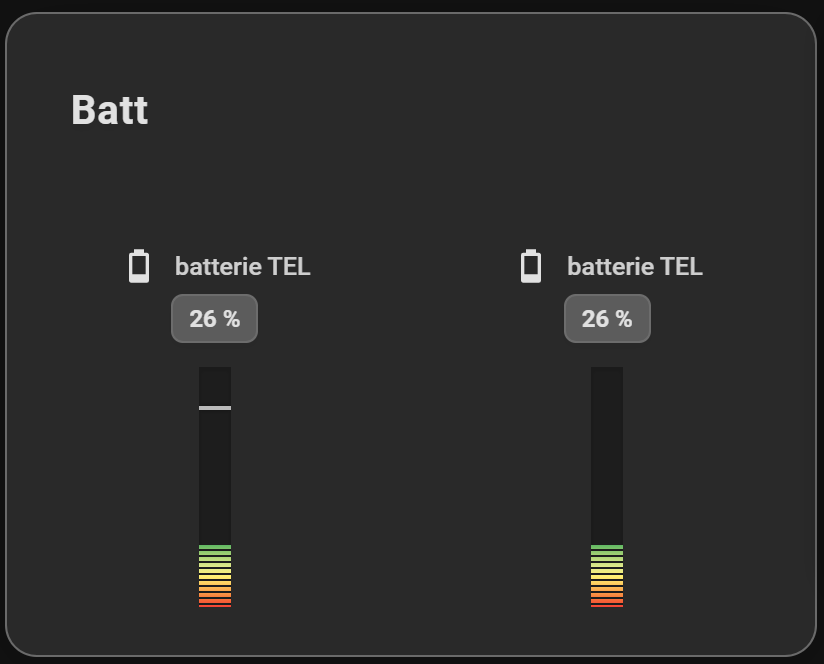
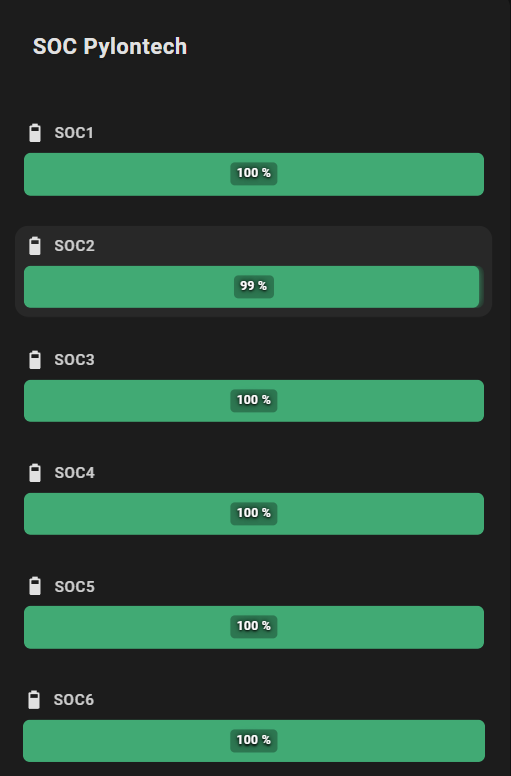
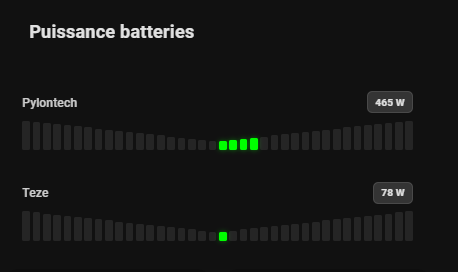
Linear Gauge Card shows several Home Assistant entities as linear gauges, in a horizontal list or vertical columns. Each gauge can use one of 14 styles: bar, gradient track, glass, stripes, LED segments, dots, equalizer, battery, thermometer, wave, ticks, needle, cursor or sparkline.
The card marks a fixed or entity-driven target, shows the last 24 hours' min/max, makes the bar pulse on critical states and can start from zero for negative values. Everything is set in the visual editor, and each entity keeps its own tap action.
Features
- Visual Editor: Fully configurable via the Home Assistant UI.
- Theme Integration: Follows your Home Assistant theme or custom background color with transparency support.
- Interactive Actions: Full support for tap_action on each entity (toggle, navigation, call-service, URL).
- Icons: Material Design icons support.
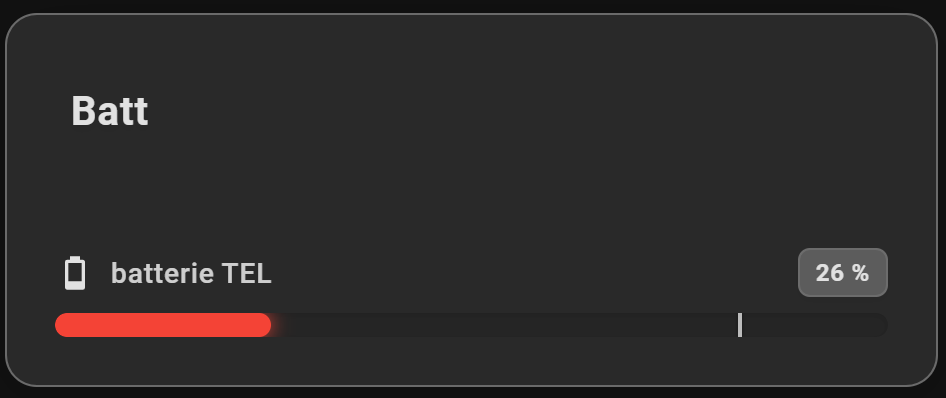
- Targets: Display a target marker, either a fixed value (target) or driven by an entity's state (target_entity).
- Visual Alerts: Pulse animation that blinks the bar for critical states.
- 24h Min/Max: Visualization of the value range over the last 24 hours.
- Flexible Layout: Choose between horizontal (list) or vertical (columns) display.
- Smart Gradients: Define a global gradient or specific colors per entity.
- LED Effect: Segmented and rectangular display mode for a modern "pixel" style.
- 14 Gauge Styles: Choose how each gauge is drawn — bar, gradient_track, glass, stripes, segments (LED), dots, equalizer, battery, thermometer, wave, ticks, needle, cursor or sparkline.
- Compact Mode: Minimal display with just icon and bar to save space.
- Value in Bar: Display the value directly on the progress bar (hides the value next to the name to avoid duplication).
- Shimmer Effect: Animated shine effect on bars (can be disabled).
Installation
- In Home Assistant, open HACS (“Open in HACS” button above), add the guiohm79/jaugeLineaire repository if asked, then install “Linear Gauge Card” and reload your browser.
- Without HACS: download linear-gauge-card.js from the latest GitHub release, copy it to config/www/, then add the resource /local/linear-gauge-card.js (type “JavaScript module”) in Settings → Dashboards → Resources.
Configuration
type: custom:linear-gauge-card
title: Server
show_min_max: true
colors:
  - "#4caf50"
  - "#ffeb3b"
  - "#f44336"
entities:
  - entity: sensor.cpu_load
    name: CPU
    icon: mdi:cpu-64-bit
    target: 80                    # Marker at 80%
    severity:
      - from: 90
        color: "#d32f2f"
        pulse: true               # Activates pulse animation
  - entity: sensor.temperature
    icon: mdi:thermometer
    target_entity: sensor.target_temp  # Dynamic marker
    tap_action:
      action: toggle
Options
| Option | Type | Default | Description |
|---|---|---|---|
title | string | Card title | |
entities | list | List of entities to display (required) | |
layout | string | horizontal (default) or vertical | |
min | number | Global minimum value (default: 0) | |
max | number | Global maximum value (default: 100) | |
show_min_max | boolean | Show 24h min/max markers (default: false) | |
colors | list | List of colors for a global gradient | |
color | string | Global fixed color (overrides gradient) | |
color_negative | string | Global fixed color for negative values when center_zero is active | |
severity | list | Global severity configuration | |
effect | string | default or led for a rectangular segmented effect (legacy — prefer gauge_style) | |
gauge_style | string | How the gauge is drawn: bar (default), gradient_track, glass, stripes, segments, dots, equalizer, battery, thermometer, wave, ticks, needle, cursor, sparkline | |
segment_count | number | Number of elements for the segments, dots and equalizer styles (range 3–120; defaults: 20 segments, 12 dots, 16 equalizer bars) | |
tick_count | number | Number of labelled graduations for the ticks style, and of graduation marks on the thermometer tube (default: 5, min 2) | |
cursor_shape | string | Thumb shape for the cursor style: circle (default), line, arrow, diamond, bar | |
tap_action | object | Default action on click (e.g., toggle) | |
transparent | boolean | Transparent background (default: false) | |
card_background | string | Custom card background color (with alpha support) | |
compact_mode | boolean | Compact display mode (default: false) | |
show_value_in_bar | boolean | Show value inside the bar, hides value next to name (default: false) | |
disable_shimmer | boolean | Disable the shimmer animation effect (default: false) | |
center_zero | boolean | Start the bar at the zero point. Negative values extend left/bottom, positive extend right/top (default: false) | |
bar_thickness | number | Bar thickness in pixels (default: 12) | |
vertical_height | number | Vertical bar height in pixels (default: 120) | |
vertical_width | number | Vertical bar width in pixels (default: 16) | |
wave_height | number | Height of the wave style in horizontal layout, in pixels (default: 40) | |
equalizer_height | number | Height of the equalizer style, in pixels (default: 34) | |
battery_size | number | Height of the battery body in horizontal layout, in pixels (default: 22) | |
battery_cells | number | Number of cells drawn inside the battery shell (default: 4, range 2–12) | |
entity | string | Entity ID (e.g., sensor.cpu_load) | |
name | string | Custom displayed name | |
icon | string | Icon (e.g., mdi:thermometer) | |
target | number | Fixed target marker value | |
target_entity | string | Entity whose state drives the target marker (takes priority over target) | |
min / max | number | Specific limits for this entity | |
pulse | object | Pulse alert: threshold (value) and condition (above or below) |
FAQ
How do I install Linear Gauge Card?
With HACS: add https://github.com/guiohm79/jaugeLineaire as a custom repository (Dashboard / Lovelace category), install the card, then reload your browser. The “Open in HACS” button on this page adds the repository for you. Home Assistant 2025.1 or newer is required.
Do I need to write YAML?
No. The card is fully set up in the Home Assistant visual editor. YAML is still available to copy a configuration from one dashboard to another.
Can the gauge show negative values?
Yes: with center_zero: true, the bar starts from zero and extends one way for negative values and the other way for positive ones.
Which gauge styles are available?
Fourteen: bar, gradient track, glass, stripes, LED segments, dots, equalizer, battery, thermometer, wave, ticks, needle, cursor and sparkline (gauge_style).
Screenshots