Home Assistant cards
Lovelace cards designed to look good and read at a glance, on a phone as well as on a wall tablet. Each one is set up from the Home Assistant visual editor.
Published cards install in one click with HACS. The others are being finished and are coming soon.
12 cards
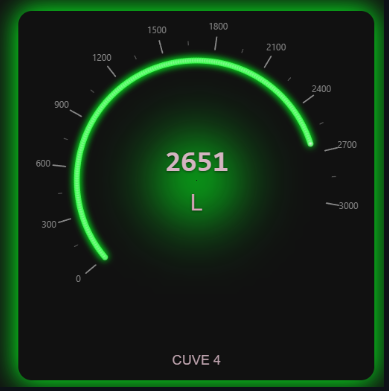
Custom Gauge Card
Animated circular LED gauge for Home Assistant: colored zones, markers, visual alarms, trend and control buttons.

Dual Gauge Card
Two concentric LED gauges in a single Home Assistant card, to compare two measurements at a glance.

Psychrometric Chart Advanced
Interactive psychrometric chart for Home Assistant: thermal comfort, dew point, enthalpy and the power needed to reach comfort.

Carte Pièce
A whole room drawn on a single Home Assistant card: lights, blinds, heating, TV and air quality, in three styles.
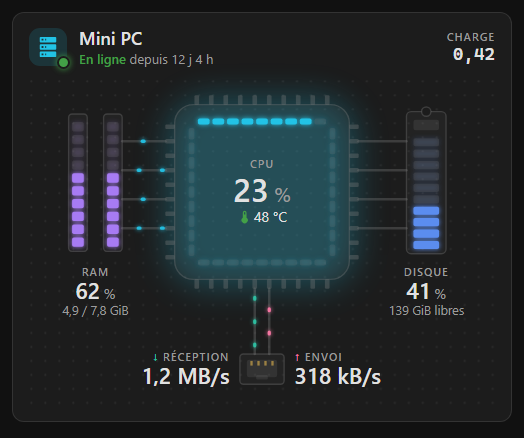
PC Monitor Card
A Lovelace card for Home Assistant that shows all the measurements of a computer or NAS at a glance.
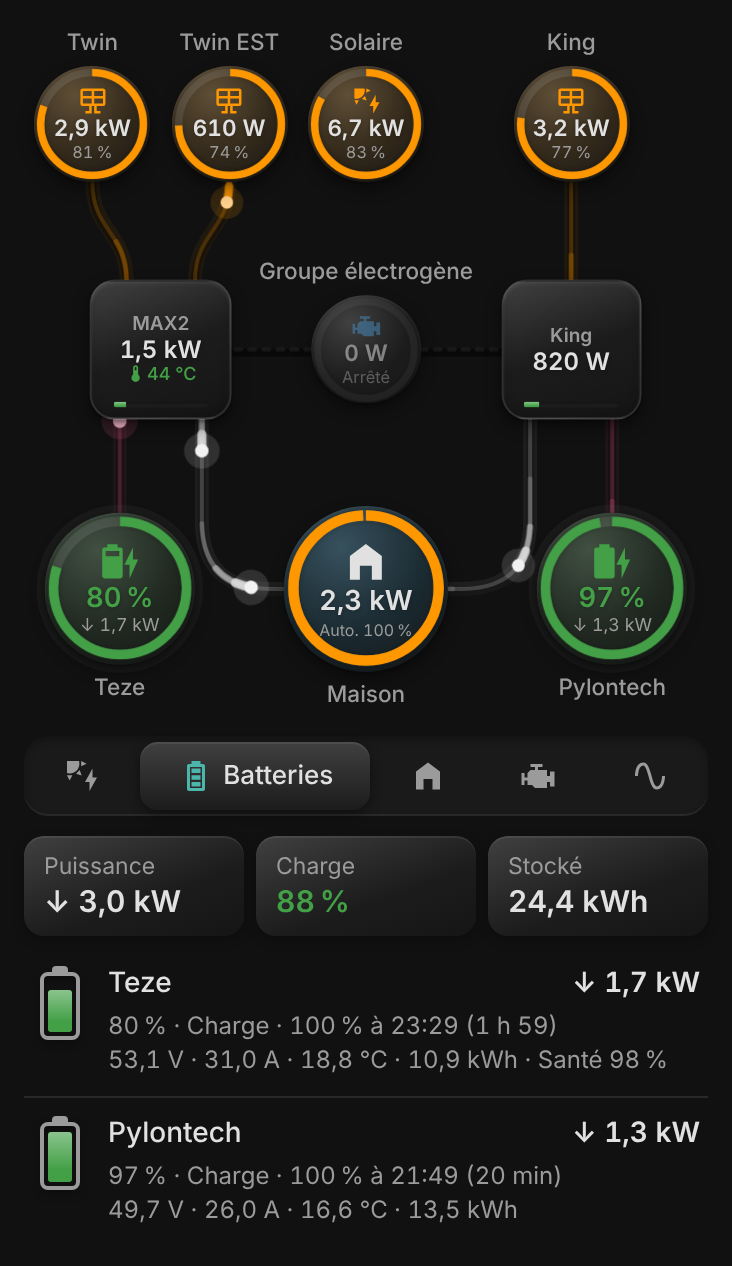
Carte Solaire
Solar, battery, grid and home energy flows in one animated Home Assistant card, designed mobile-first.
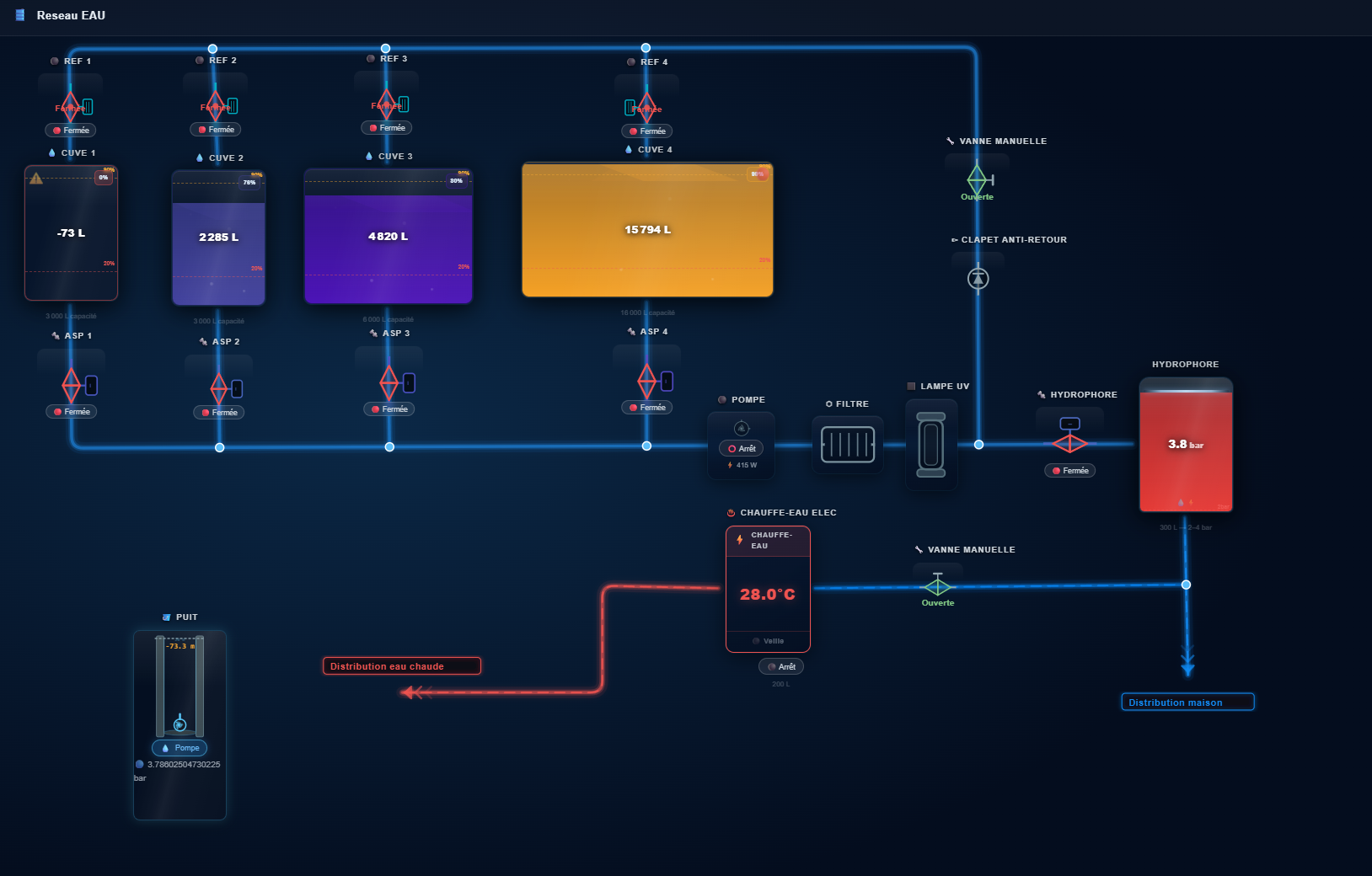
Water Tank Card
A whole water network in one Home Assistant card: tanks, well, pressure tank, water heater, pipes, valves and pumps on a diagram you draw yourself.

Half Gauge Card
Half-circle (180°) LED gauge for Home Assistant: round LEDs or VU-meter segments, color gradients and a full visual editor.
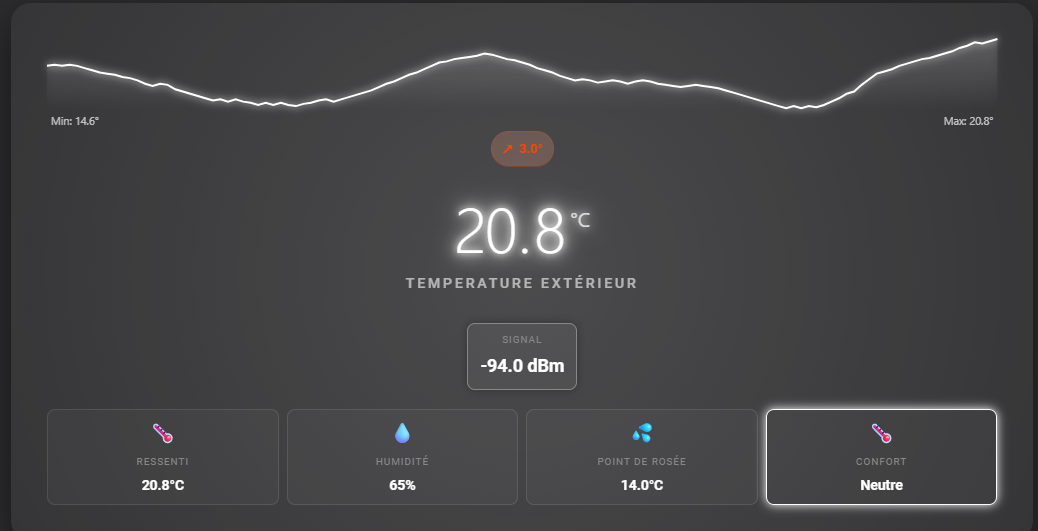
Neon Temperature Card
A futuristic temperature card with a neon LED display, history chart, multiple sensors and advanced comfort indicators.
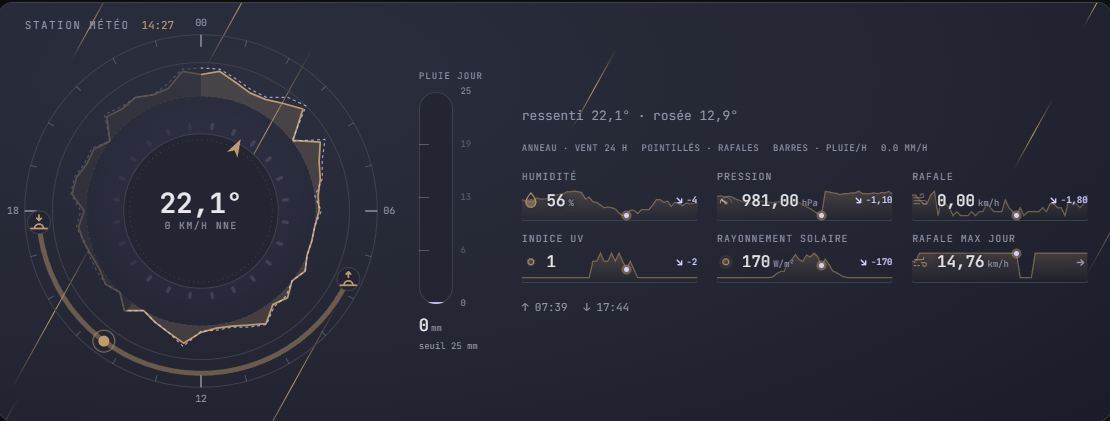
Animated Weather Station Card
A whole weather station on one Home Assistant card: a 24-hour dial for wind, rain and sun, and animated raindrops.

Air Quality Card
Air quality in Home Assistant: ATMO index, PM2.5 and PM10 particles (SDS011 or another sensor), up to six pollutants and health advice.
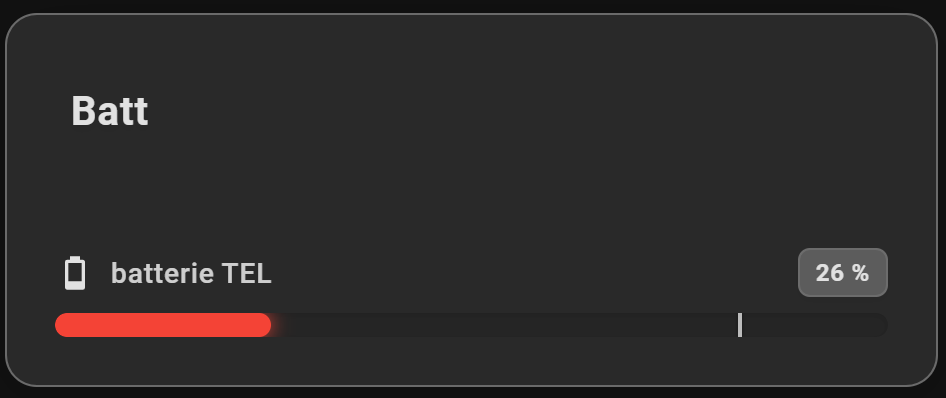
Linear Gauge Card
Linear gauges for Home Assistant: 14 styles (bar, LED, battery, thermometer, wave…), targets, 24-hour min/max and visual alerts.
Why these cards
- Visual editor : Every setting from the Home Assistant interface, no YAML to write.
- Made for the screen : Readable at a glance, from a phone to a wall tablet.
- HACS install : Published cards install and update with HACS.
- Open source : The code of published cards is on GitHub: feedback and ideas welcome.
Install a card in 3 steps
- Install HACS : The Home Assistant Community Store, if it is not installed yet.
- Open in HACS : On the card page, the “Open in HACS” button adds the repository; download the card.
- Add the card : Reload your browser, then add the card from the dashboard editor.