Audio Sample Manager — utility with VST3 plugin
Sample manager for producers: Splice-style explorer, detected key and BPM, previews locked to Cubase through its VST3 plugin.
In development. This plugin is not finished yet. Here is what it already does; write to me to be told when it is out. Get notified when it is out
Overview
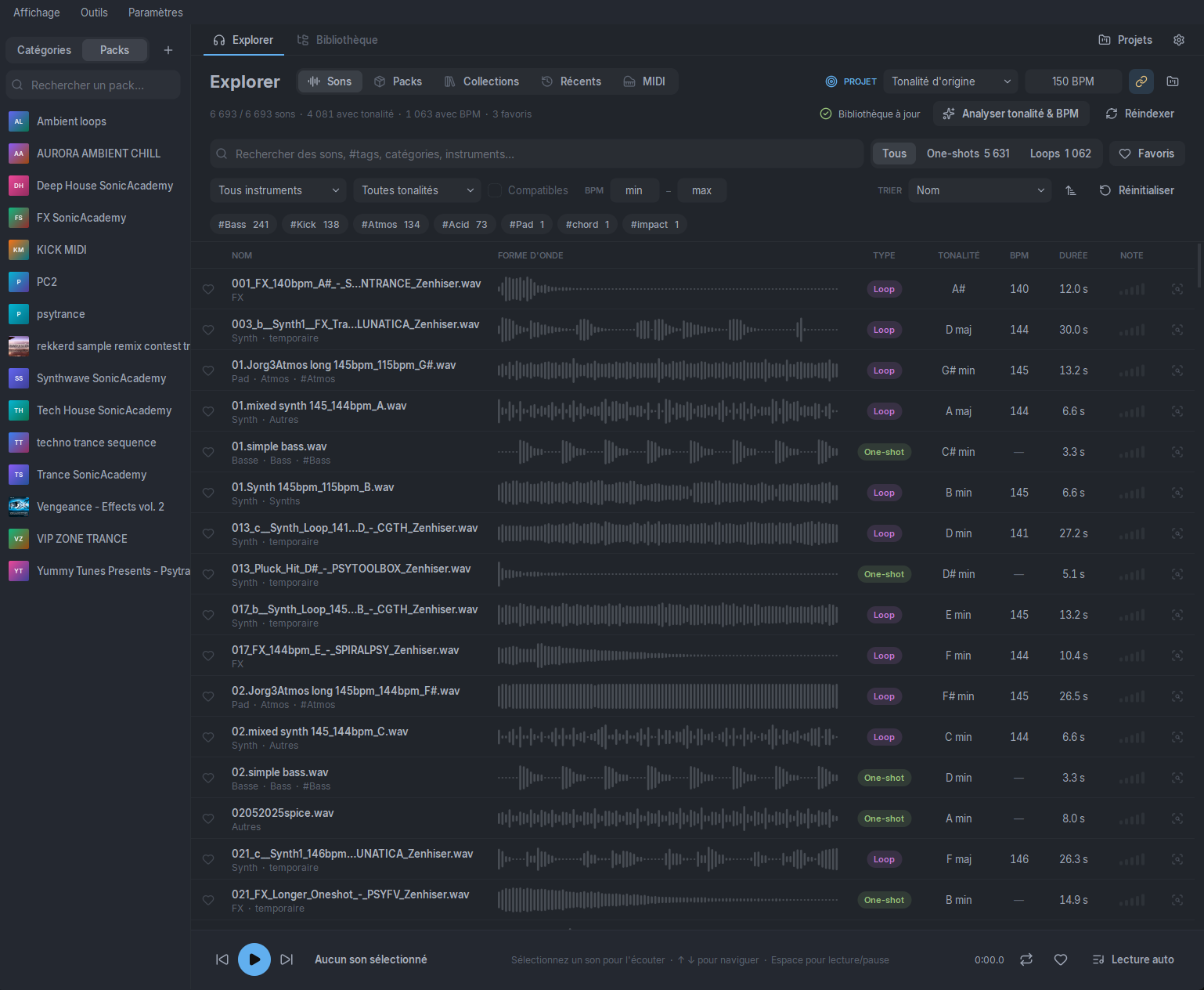
Audio Sample Manager is a desktop application to organise and explore your audio sample libraries, designed for music producers. Its Splice-style Explorer filters the whole library by key, BPM, instrument, type (loop / one-shot), tags and rating, with instant preview.
It analyses your sounds automatically — key and tempo detection, similarity, duplicates — and also handles your MIDI files, previewed with a built-in sampler.
Previews follow your project's key and tempo. A VST3 plugin inserted on a track links the app to Cubase: it sends the exact transport (tempo, bar, position) and plays previews through Cubase's mixer, locked to the project down to the sample. Sounds then drag straight into the DAW.
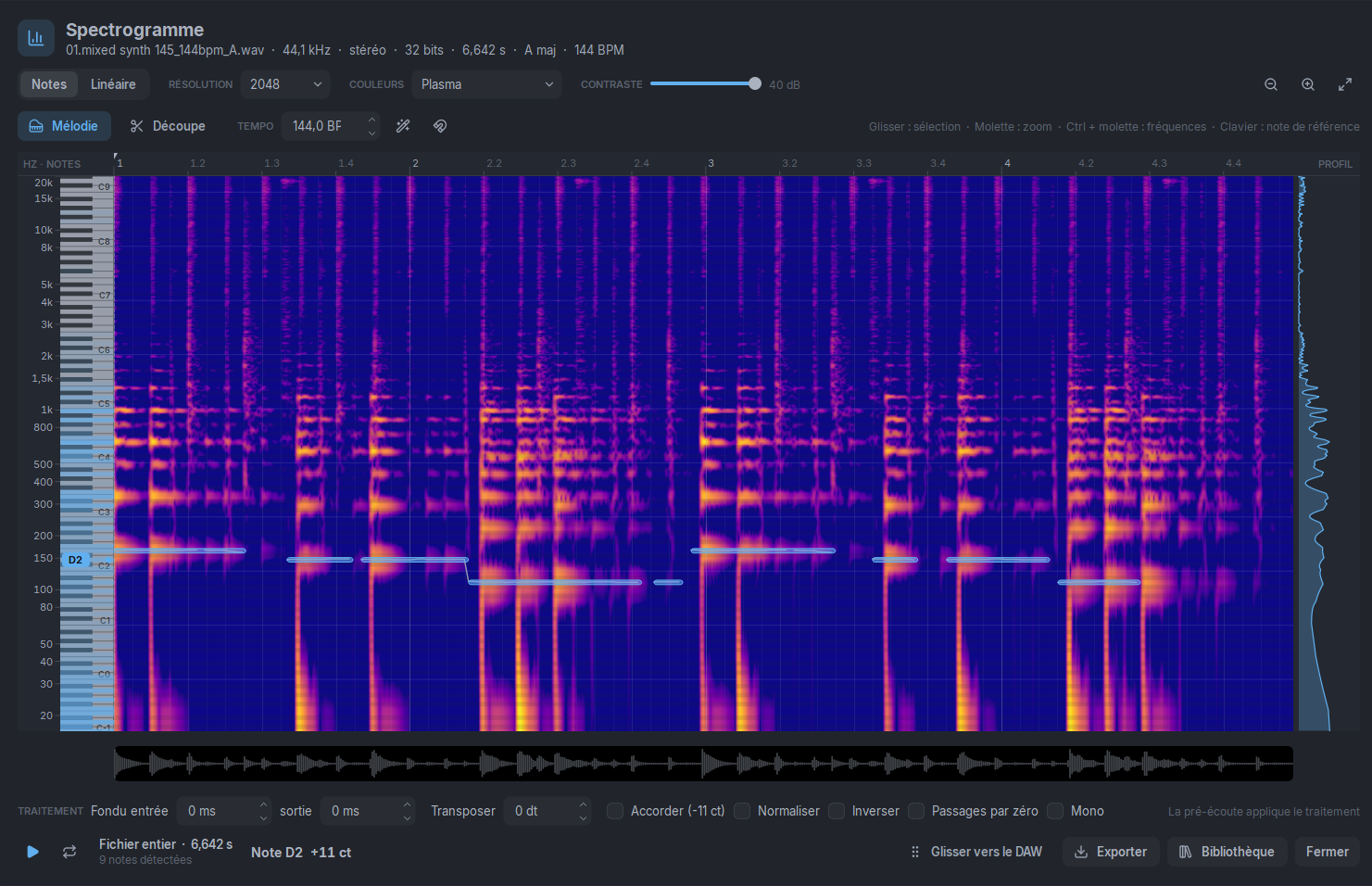
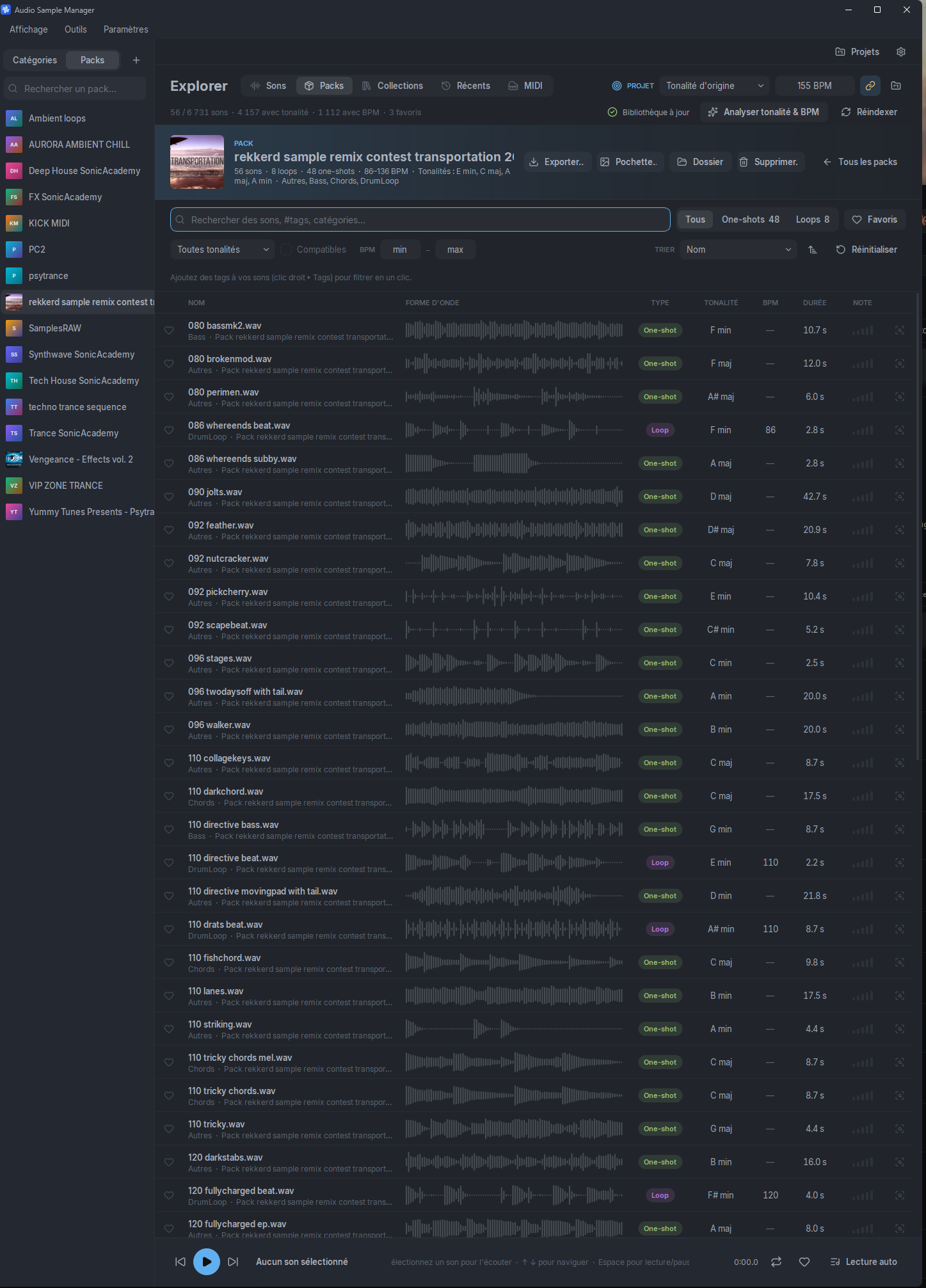
Import whole packs, sorted automatically by category, and manage projects, collections and an interactive spectrogram (slicing, melody to MIDI) in a modern interface with custom themes.
Features
- Splice-style Explorer: filter by key, BPM, instrument, type (loop / one-shot), tags and rating
- VST3 plugin linking the app to Cubase: exact transport and previews locked to the project
- Library as a card grid with waveform, key / BPM badges and smooth scrolling (100,000+ samples)
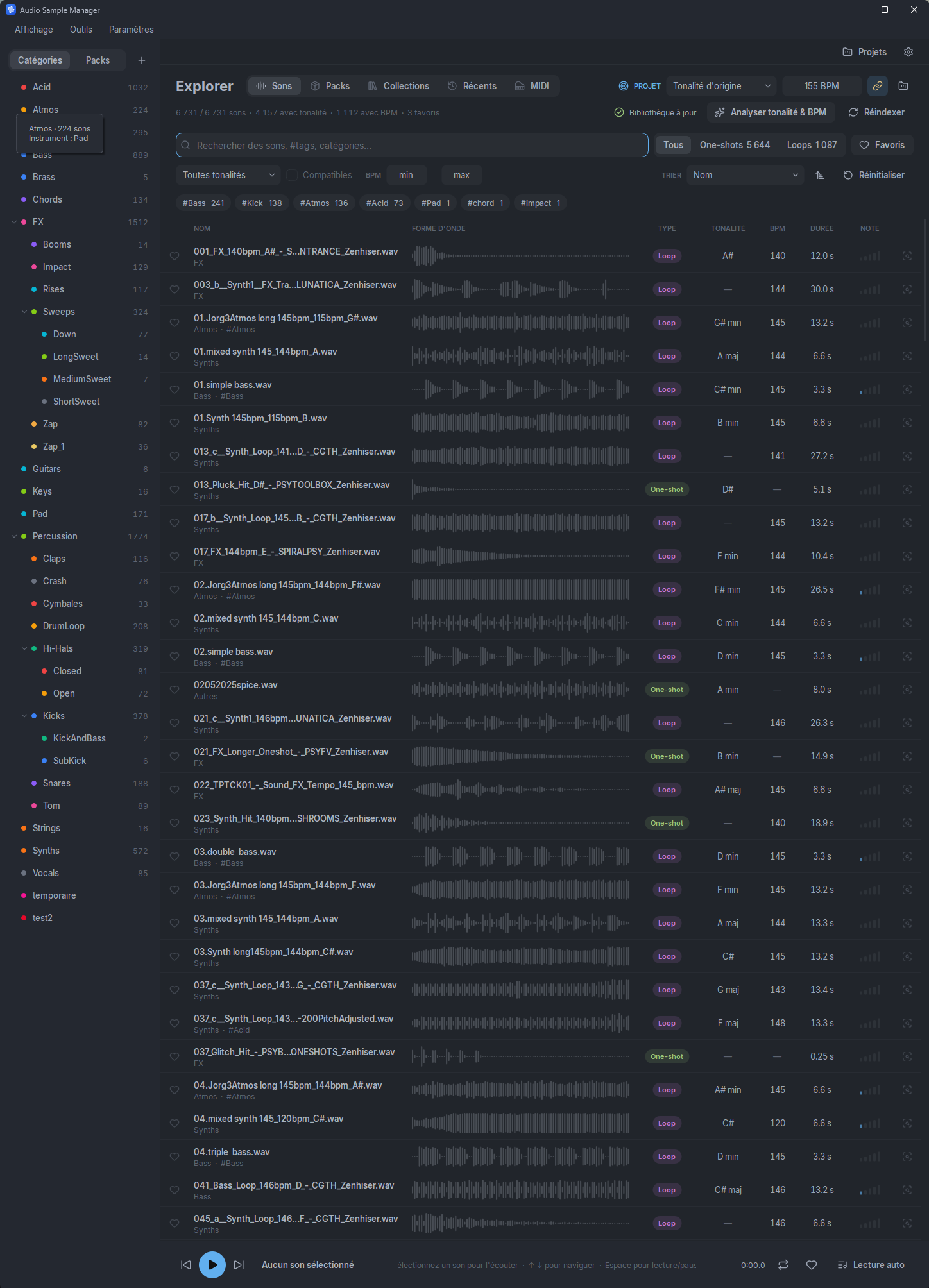
- Category overview, coloured and hierarchical
- WAV (PCM and float), AIFF, FLAC, MP3 and OGG formats
- Instant preview, gapless loop playback, bar waveform
- Automatic key and BPM detection
- Automatic sorting of sounds (type, instrument, BPM, key) from file and folder names
- Previews matched to the project's key and tempo (transposition and time-stretch)
- Drag and drop into the DAW: transposed sounds, MIDI in the project's key
- Import whole packs with automatic sorting, create and export packs as a folder or ZIP
- MIDI library: type (chords, melody, bass, drums, arpeggio), key, BPM, chord detection and search
- MIDI preview through a built-in sampler (library sounds or GM kit)
- Interactive spectrogram: note scale with piano keyboard, melody detection, MIDI export
- Sample slicing (transients, tempo grid, equal parts, markers) and export with fades, normalisation, reverse, transposition
- Advanced search: disk scan, extension and duration filters
- Similar and complementary sounds (compatible key and BPM), duplicate detection
- Custom tags, favourites, 1-to-5 ratings, collections, listening history, M3U8 import / export
- Production project management (BPM, key, genre) and file management (copy, move, rename, recycle bin)
- Custom themes, French interface
Screenshots
Specifications
| Type | Utility |
|---|---|
| Format | Application Windows · VST3 |
| System | Windows 10/11 (64 bits) |
| Tested with | Cubase 15 |
| Library | 100,000+ samples |
| Audio formats | WAV, AIFF, FLAC, MP3, OGG |
| Cubase link | VST3 plugin: transport and preview |
FAQ
Do I need the VST3 plugin to use it?
No: the app works on its own. The VST3 plugin, inserted on a Cubase track, adds the exact transport and previews locked to the project, played through Cubase's mixer.
Are my samples moved or changed?
No: the library is indexed where it is, kept in sync with your folders. Copying, moving or renaming a sample only happens when you ask, and deleting goes through the recycle bin.
When will it be available?
It is in beta, nearly finished. The “Get notified when it is out” button lets me know you are interested: I will write to you when it is ready.